

Shopify Multi-Location Inventory – How Does It Work With a Fulfilment Partner?
If you are searching for multi location inventory shopify because your stock is now spread across your own premises, a warehouse or a 3PL, the key question is simple: how does Shopify know where to send each order? Multi-location stock control is useful, but it can quickly become messy if your Shopify settings, SKU data and fulfilment partner are not working from the same source of truth.
For a growing eCommerce business, this is not just a technical setting. It affects whether customers can buy products that are actually available, whether orders reach the right warehouse and whether your team spends its day fixing stock errors. When you add a fulfilment partner, Shopify’s location tools can still work well, but they need to be set up with clear rules.
What multi location inventory shopify means in practice
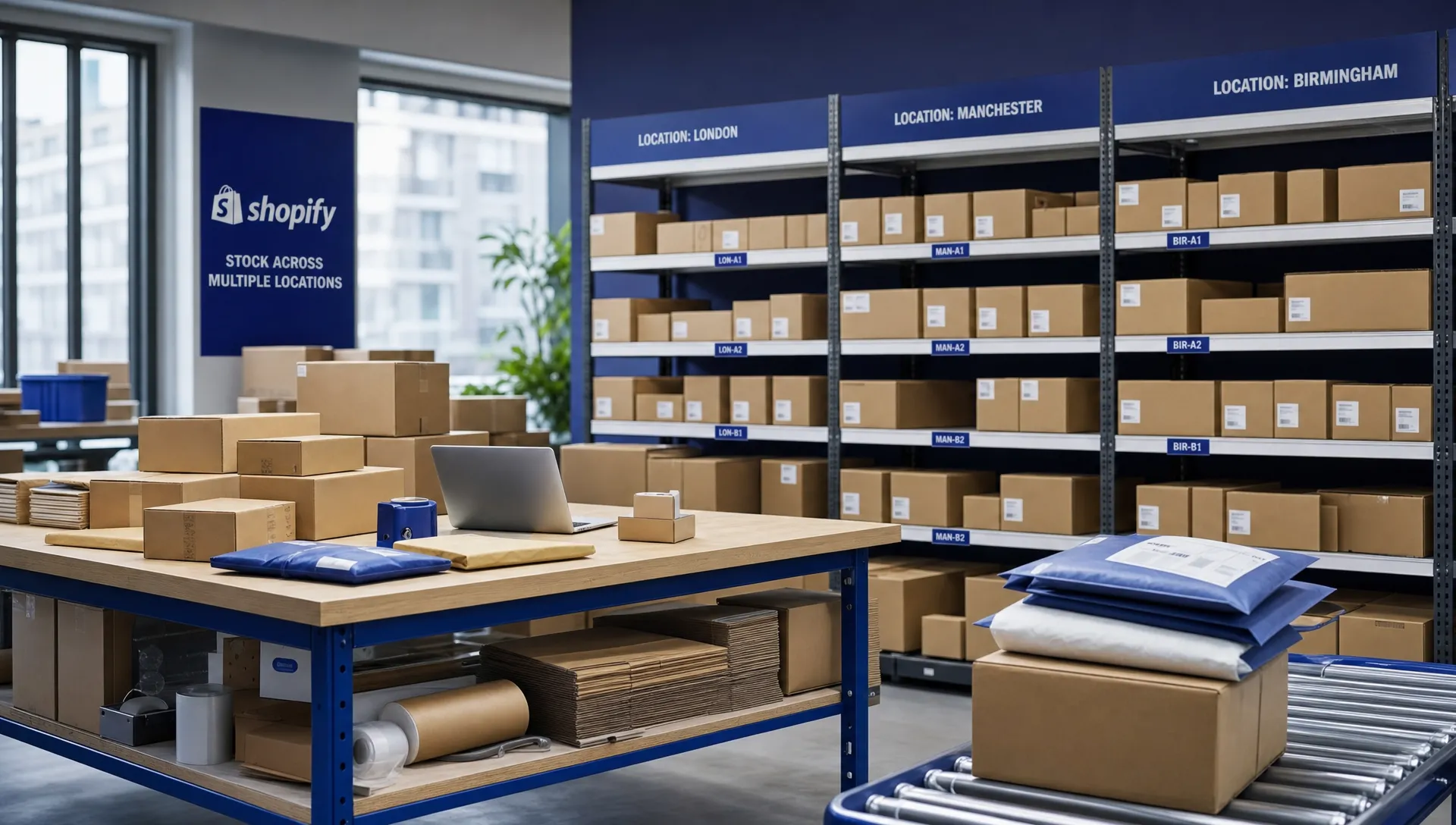
Shopify uses Locations to represent places where stock is held, fulfilled or managed. A location could be your office, a shop, a pop-up site, a warehouse or a third-party logistics provider. Shopify’s guidance on locations explains how merchants can use these locations to track inventory and fulfil orders from different places.
In practical terms, Shopify needs to know two things for every product variant: how many units are available and which location those units belong to. If you sell a blue T-shirt in three sizes, each size is a separate variant with its own stock quantity at each active location.
For most SMEs, multi location inventory shopify planning starts with a simple question: where is this item physically held today? If the answer is “some in our unit and some at the fulfilment warehouse”, Shopify and your warehouse system need to reflect that split accurately.
What changes when a fulfilment partner is involved?
When you outsource to a fulfilment partner, their warehouse usually becomes one of your Shopify locations. Orders that should be picked, packed and dispatched by the 3PL are assigned to that location, then passed into the warehouse system for processing.
This does not mean you lose visibility. A good setup should show which stock is held by the 3PL, which stock is held elsewhere and which orders have already been committed. The fulfilment partner then uses its warehouse management system, often shortened to WMS, to pick the right items and push status updates back into Shopify.
When multi location inventory shopify is set up correctly, it helps prevent two common problems: overselling stock that is not really available and sending orders to the wrong fulfilment point. Both problems can lead to delayed dispatch, customer service pressure and unnecessary transport costs.
The usual stock and order flow between Shopify and a 3PL
The exact process depends on the integration, but the working pattern is usually similar. Shopify holds your sales channel data, while the 3PL warehouse system controls the physical stock movement.
| Stage | What happens in Shopify | What happens at the fulfilment partner | Why it matters |
|---|---|---|---|
| Stock receipt | Inventory is updated against the agreed location | Goods are booked into the warehouse system | Shopify and the warehouse start from the same stock position |
| Customer order | Shopify records the order and assigns a fulfilment location | The order is imported into the WMS | The warehouse only receives orders it should fulfil |
| Picking and packing | Order status is ready for fulfilment | Warehouse staff pick, pack and prepare the parcel | Physical stock movement matches the online order |
| Dispatch | Tracking and fulfilment updates are pushed back | Carrier details and proof of dispatch are recorded | The customer and merchant can see progress |
| Returns | Returned items may be restocked or quarantined | Goods are checked and processed | Sellable stock is not confused with damaged or pending stock |
A reliable multi location inventory shopify process needs both systems to agree on timing. If Shopify updates instantly but the warehouse system updates only once a day, available stock may not be accurate during busy periods. For many growing brands, frequent stock syncs and clear cut-off rules make a major difference.
Choosing the right location structure
There is no single best setup for every Shopify store. The right structure depends on where your stock sits, how quickly you dispatch and whether you fulfil every order through one partner.
One main 3PL location
This is often the cleanest option when a business has fully outsourced fulfilment. Stock is delivered to the fulfilment centre, Shopify shows that stock under the 3PL location and orders flow to the warehouse automatically.
This approach is straightforward because there are fewer stock pools to manage. It works particularly well when you no longer dispatch from your own premises and want the fulfilment partner to handle day-to-day order processing.
Your premises plus a 3PL warehouse
Some businesses keep fast-moving stock, samples or wholesale stock on site while the fulfilment partner handles most online orders. In this case, Shopify must show stock at both locations and your rules need to decide which orders go where.
For example, you may want all direct-to-consumer orders to go to the 3PL, while staff use your own stock for trade shows or local customer collections. This can work well, but only if stock transfers and manual adjustments are kept under control.
Multiple warehouses or channel-specific stock
Larger or more complex sellers may hold stock across several fulfilment points, perhaps one UK warehouse, one EU warehouse and a separate reserve stock location. Some brands also ring-fence stock for wholesale, marketplace or retail activity.
At this stage, multi location inventory shopify management becomes more about process discipline than simply switching on extra locations. SKU naming, transfer records, safety stock and exception handling all need to be agreed before orders start flowing.
Stock accuracy: where problems usually begin
Most Shopify inventory problems are not caused by the platform itself. They usually come from mismatched data, unclear stock ownership or manual workarounds that no one has documented.
Start with SKUs. Every product variant in Shopify should have a unique SKU that matches the SKU used by the fulfilment partner. If your Shopify store uses one format and the warehouse uses another, order matching becomes harder and errors become more likely.
You also need to be clear about what counts as available stock. Units may be physically in the building but not ready to sell because they are damaged, waiting for quality checks, allocated to another order or reserved for a wholesale customer. Shopify should only show stock that can genuinely be sold.
Strong multi location inventory shopify control also depends on how returns are handled. A returned item should not automatically go back into available inventory until it has been checked. For apparel, cosmetics, food, supplements or anything batch-controlled, this step is especially important.
How Shopify routes orders to the fulfilment partner
Once stock is split across locations, order routing becomes a key part of the setup. Shopify can assign an order to a location based on availability and your location settings. Depending on how your store is configured, you may also be able to use routing rules to decide which location should fulfil first.
For a simple outsourced model, the 3PL location is normally prioritised for online orders. If an item is available at the fulfilment warehouse, the order should flow into the warehouse system without your team needing to touch it. If stock is only available at your own site, you need to decide whether that order should be fulfilled manually, transferred to the 3PL or held until replenishment arrives.
Split orders need special attention. If one item is at the 3PL and another is at your office, the customer may receive two parcels unless you have a rule to prevent that. Sometimes split fulfilment is acceptable. In other cases, especially for gift sets or high-value orders, it creates extra cost and a poorer customer experience.
For a deeper look at the broader outsourcing process, Gus Logistics has a guide on how Shopify fulfilment works when you use a 3PL. The main point for multi location inventory shopify is that routing rules should match your real-world stock flow, not just what looks tidy in the admin screen.
What to agree before switching on the integration
Before you connect Shopify to a fulfilment partner, agree the operating rules in plain English. This avoids confusion later when orders are live and customers are waiting.
Key points to confirm include:
- Which Shopify location represents the fulfilment partner’s warehouse
- Which SKUs and barcodes will be used by both Shopify and the WMS
- How often stock levels will sync between systems
- What time orders must arrive for same-day dispatch processing
- How cancelled orders are handled after they have reached the warehouse
- What happens to returns before they become sellable again
- Who is responsible for stock adjustments, damaged goods and quarantine stock
- How bundles, kits or pre-packed sets are represented in Shopify
A practical multi location inventory shopify setup should also include a test phase. Create test orders, cancel a few, return a few and check that the inventory movements make sense. It is much easier to fix mapping issues before a busy sales weekend than during one.
Common mistakes to avoid
One common mistake is leaving old locations active after moving stock to a 3PL. If Shopify still thinks stock is available in your previous location, orders may be assigned incorrectly. Clean up unused locations and make sure any remaining locations have a clear purpose.
Another mistake is using manual stock adjustments as a routine fix. Manual changes are sometimes necessary, but they should not become the main way to keep systems aligned. If your team is constantly correcting stock, there is probably a process or integration issue behind it.
Businesses can also underestimate inbound stock timing. Stock should not be made available for sale just because it has been shipped to the fulfilment warehouse. It should only become available once it has been received, checked and booked into the warehouse system.
Finally, take care with bundles. If you sell a kit made from several separate components, Shopify and the warehouse system must agree how those components are deducted. Otherwise, you may appear to have finished kits available while one of the component items is out of stock.
How Gus Logistics supports Shopify sellers with multiple stock locations
Gus Logistics works with growing eCommerce brands, manufacturers and product businesses that need practical fulfilment support without unnecessary complexity. For Shopify sellers, that means connecting the store to the warehouse process so orders, stock and dispatch updates move reliably between systems.
The team supports integrations with 60+ platforms, including Shopify, Amazon, eBay, WooCommerce and Magento. For brands that need fast onboarding, integrations can usually be turned around within 24 hours, depending on the setup required. There are no minimum volume requirements, which makes the service suitable for smaller brands as well as established product businesses.
If you need outsourced picking, packing and dispatch, the Shopify fulfilment service in the UK explains how Gus Logistics helps Shopify sellers keep control while moving day-to-day operations into a 3PL environment. If your main challenge is stockholding, pallet storage or bulk inventory, the warehousing and storage service covers how stock can be stored, tracked and managed.
For businesses based in Cheshire, the North West or elsewhere in the UK, the Nantwich location also gives practical access to major routes including the M6, M56 and M62. That can help when inbound stock, outbound orders and time-sensitive replenishment all need to move smoothly.
For many SMEs, the goal of multi location inventory shopify is not to build the most complicated setup. It is to make sure the right stock is in the right place, orders reach the right warehouse and customers receive accurate dispatch updates.
Frequently Asked Questions
Can Shopify manage inventory across my own warehouse and a 3PL? Yes. Shopify can track stock across multiple locations, including your own premises and a fulfilment partner. The important part is making sure each location reflects real physical stock and that orders are routed to the correct fulfilment point.
Do I need a separate Shopify location for my fulfilment partner? In most cases, yes. Creating a dedicated location for the 3PL makes it easier to track stock held at the fulfilment warehouse and control which orders are sent there for picking and dispatch.
What causes stock errors when using a 3PL with Shopify? Common causes include mismatched SKUs, slow stock syncing, manual adjustments, unclear returns processes and old locations still holding inventory in Shopify. These issues can usually be reduced with better setup and agreed operating rules.
Does multi location inventory shopify work for small businesses? Yes, but it should be kept simple. Many small brands only need one 3PL location and one internal location, or even just the 3PL location if all fulfilment is outsourced.
Can Gus Logistics help if my stock is split across Shopify, Amazon and eBay? Yes. Gus Logistics integrates with major platforms including Shopify, Amazon and eBay, helping product businesses bring order fulfilment and stock movement into a more joined-up process.
Speak to Gus Logistics about Shopify fulfilment
If Shopify stock management is becoming harder to control, a fulfilment partner can help you simplify the process and reduce manual work. Gus Logistics can support Shopify sellers with order fulfilment, warehousing, stock tracking and UK-wide dispatch from its base in Nantwich, Cheshire.
To discuss your Shopify setup, call 01270 335014 or get in touch through the Gus Logistics contact page.
Looking for a Logistics Partner You Can Trust?
From warehousing and order fulfilment to transport and FSDU design - Gus Logistics handles it all from our base in Nantwich, Cheshire. Over 10 years experience, no minimum volumes, no long contracts.
